IBO Player: The Ultimate Guide to the Modern IPTV Media Player
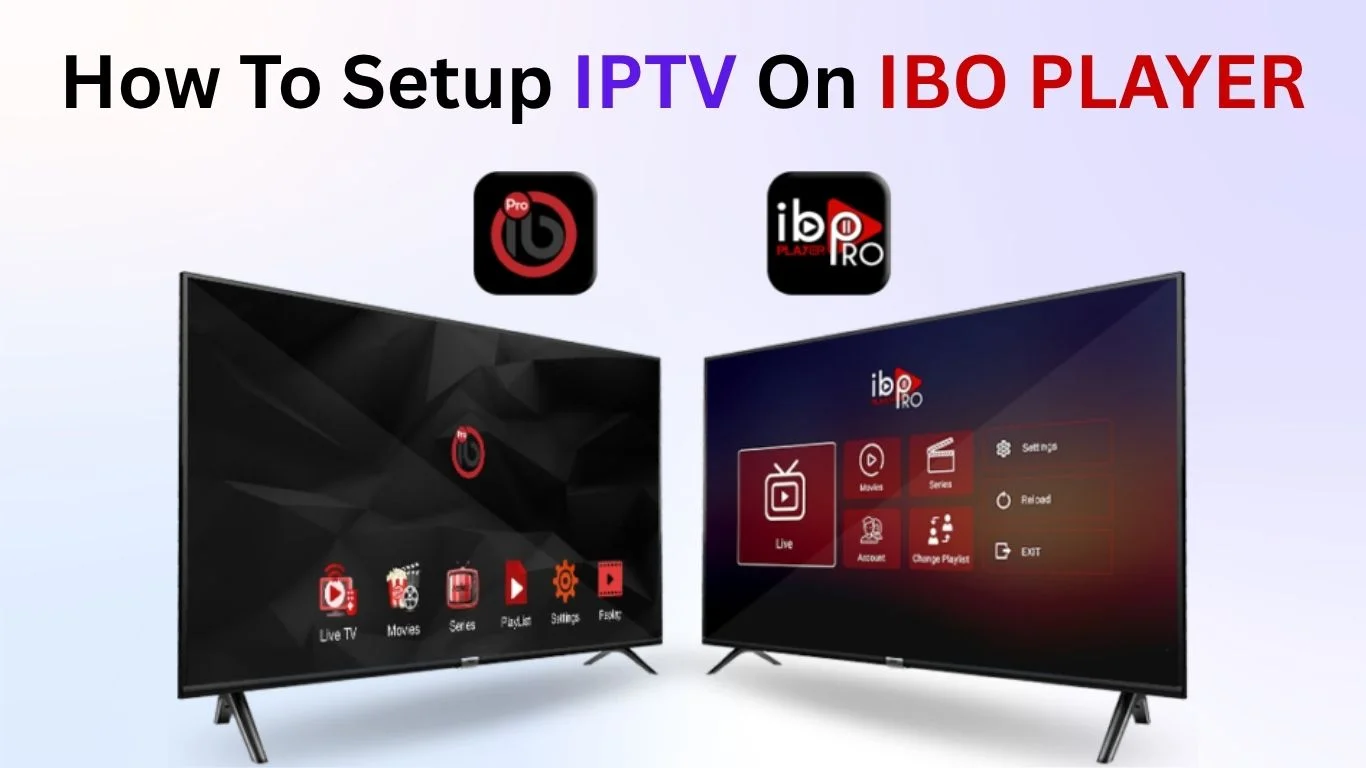
IBO Player has quickly become one of the most popular media players for IPTV enthusiasts worldwide. Whether you enjoy movies, TV series, live sports, or global entertainment channels, this powerful app gives viewers total control over their streaming experience. Right from the start, it’s important to understand one thing: IBO Player is only a media player, NOT a provider of IPTV content or playlists. This means it doesn’t sell channels, subscriptions, or any copyrighted material.
Still, IBO Player has gained massive attention because of its smooth performance, smart interface, and wide compatibility across devices. Viewers who depend on IPTV services find it especially helpful because it supports advanced formats, stable playback, and simple playlist management.
Key Features of IBO Player
One of the biggest reasons IPTV viewers prefer IBO Player is its impressive list of features. Unlike many basic IPTV apps, this player focuses on versatility, user experience, and universal compatibility.
Wide File Format Support
IBO Player works with almost every modern audio and video format. Whether you’re streaming HD channels, movies, or catch-up content, the player handles them smoothly.
User-Friendly Interface
Its clean layout makes navigation easy even for new users. No complicated menus. No confusing settings. Everything is arranged clearly.
Customization Options
Users can customize:
- Screen layout
- Audio settings
- Themes
- Playback preferences
This allows each viewer to create a personalized streaming environment.
Device Flexibility
IBO Player works on:
- Smart TVs
- Smartphones
- Tablets
- Android streaming devices
Your entertainment follows you anywhere.
IBO Player Classic vs IBO Player Pro
There are two versions of IBO Player, which causes a bit of confusion for new users.
1. IBO Player Classic
Available at: iboiptv.com
This is the older but more widely compatible version. Many older smart TVs still depend on it because they cannot run newer apps.
2. IBO Player Pro
Available at: iboplayer.pro
This version has:
- A modern interface
- Faster performance
- Updated UI elements
But… some older TVs cannot install it due to outdated firmware.
This article focuses mainly on the Classic version, but the same setup steps apply to IBO Player Pro as well.
Full Features & Compatibility Overview
IBO Player stands out for one important reason: global compatibility. No matter where you live or what device you use, the player likely works for you.
Supported Devices
IBO Player supports:
- Samsung Smart TVs
- LG WebOS TVs
- Android TVs
- Fire TV Stick
- Smartphones (Android / iOS)
(Mobile support may vary depending on the version)
IPTV Playlist Support
IBO Player does not provide content, but it allows users to upload playlists from:
- IPTV providers
- M3U playlists
- Xtream Codes API
- Local or cloud sources
Smart TV & Mobile Integration
You can start watching on your TV… then switch to your phone instantly. This flexibility is one reason the app is so popular.
Major Capabilities of IBO Player
Here’s what makes the player truly powerful:
- Organize multiple playlists
- Sort channels by groups
- View TV guides (EPG)
- Customize appearance
- Fast channel zapping
- Smooth HD/4K playback
These features make IBO Player one of the top media player choices in the IPTV industry.
IBO Player for IPTV Subscribers
Because IBO Player is a media player, you must bring your own playlist. IPTV providers like IPTV UK offer complete setup guides, subscription plans, and M3U playlists that work smoothly with IBO Player.
IBO Player simply plays the content; it does not host or manage the channels itself.
How to Upload Your Playlist on IBO Player
Here is the step-by-step guide for beginners.
Step 1: Visit the Playlist Portal
Step 2: Install IBO Player on Your TV
Open your TV’s app store and search for IBO Player.
Step 3: Retrieve Your MAC & Device Key
After installation, the app displays:
- Your MAC address
- A device key
Step 4: Add Your M3U Playlist
Paste the M3U URL from your provider. Example:
username=244WD55226dg&password=1122334455&type=m3u_plus&output=ts
Name your playlist anything you like.
Step 5: Restart the App
Once saved, restart IBO Player on your TV.
Your channels should now appear.
Become an IBO Player Reseller
If you run an IPTV business, you can become an official IBO Player Reseller and sell activation codes. This helps resellers offer customers a complete experience: IPTV service + activation code for their preferred media player.
Interested resellers typically contact the provider via WhatsApp for details.
Avoid Scams
With IPTV growing rapidly, scam websites are everywhere. Here’s what to avoid:
- Fake activation pages
- Websites claiming to "sell IBO Player subscriptions"
- IPTV dealers pretending to be IBO Player
Reminder:
IBO Player does NOT accept payments outside official channels.
IBO Player Compared to Other IPTV Apps
IBO Player stands strong among well-known competitors:
- SmartOne IPTV
- NetIPTV
- SS IPTV
- Smart IPTV
- IPTV Smarters Pro
All perform similarly, but IBO Player is popular for its:
- Clean UI
- High stability
- Strong compatibility
However, after comparing many apps, some
IPTV Service Providers recommend
Hot IPTV as the most complete alternative for customers.
IBO Player Pricing
IBO Player offers:
- ✔ 7-day free trial
- ✔ $10 lifetime activation
This makes it one of the most affordable IPTV media players in 2025.
FAQs About IBO Player
1. Does IBO Player provide IPTV channels?
No. It is only a media player.
2. Can I use multiple playlists?
Yes, you can upload more than one playlist.
3. Does IBO Player support 4K?
Yes, if your device supports 4K playback.
4. Do I need to activate the app?
After 7 days, yes. The lifetime cost is $10.
5. Is IBO Player safe?
Yes, as long as you use official websites.
6. Can I transfer activation to another device?
No. Each device requires its own activation.
Conclusion
IBO Player remains one of the most flexible, reliable, and user-friendly IPTV media players available today. It works on almost any device, supports a wide range of formats, delivers smooth playback, and is simple enough for anyone to set up. Just remember: it’s only a media player; your IPTV provider supplies the content.
If you stick to official activation channels and trustworthy playlist providers, you’ll have an outstanding viewing experience.
